
Zyan on your phone
Two different iPhone apps — the admin shell you use to run the agency, and the client portal app your clients use — plus what is deliberately hidden on mobile.
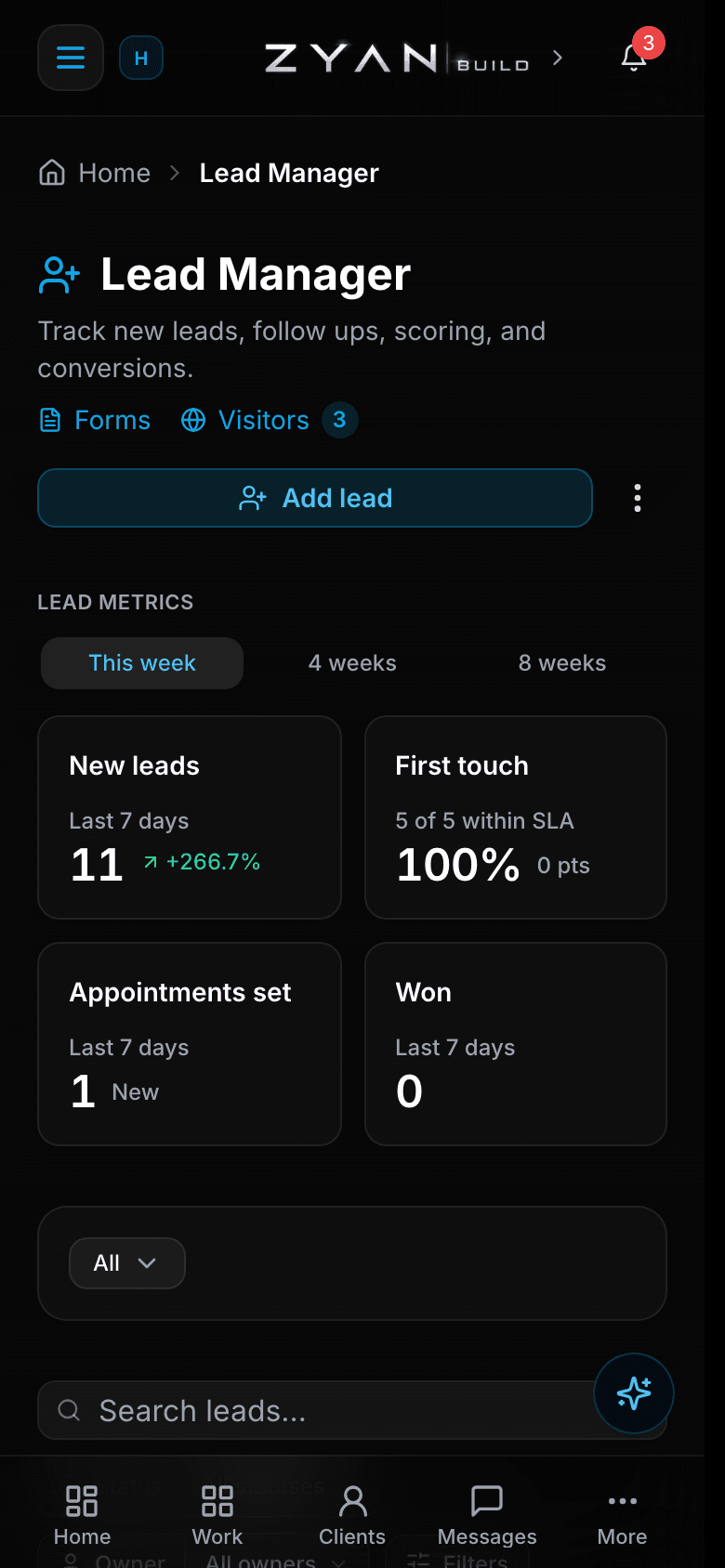
There are two iPhone apps and they are for two different people. The admin shell opens your own workspace admin on your phone. The client portal app is the native app your clients use to see their projects.
Nobody needs both. Installing the wrong one is the most common confusion here.
Before you start
Both apps are distributed through the App Store or a TestFlight invite. Availability can only be confirmed in App Store Connect — if you are not sure whether a build is out, ask Zyan rather than assuming from this page.

Which app is which
| Admin shell | Client portal app | |
|---|---|---|
| Who it is for | You and your team | Your clients |
| What it opens | Your workspace admin, full-bleed under the Dynamic Island | The client portal, as a native app |
| Sign-in | On your workspace admin site, as usual | The client's portal credentials |
| First launch | Asks for your workspace, then remembers it | Straight to sign-in |
Set up the admin shell
Install it
From the App Store or a TestFlight invite.
Enter your workspace on first run
It asks for your workspace once and remembers it. Later launches go straight there.
Sign in as normal
Authentication happens on your workspace admin site — the shell carries no login of its own.
The shell updates without an App Store release
Because it opens your real admin site, improvements to the web admin reach your phone the next time you open the app. Only changes to the shell itself need a new build.
What is hidden on the phone
A few surfaces are deliberately left out of the admin shell because they link to web-only pages. They are missing on purpose, not broken.
| Hidden in the admin shell | Use instead |
|---|---|
| The Ad Spend dashboard widget | A browser or the desktop app |
| The Bill this client wizard | A browser or the desktop app |
On a laptop they are where you would expect: Ad Spend under Command CenterAdd a widget, and the wizard under
Clientsthe clientBillingSet up billing(or Bill this client… on the client's row menu in the Clients list).
The client portal app
Clients sign in with their portal credentials and get their projects, messages and reports in a native app rather than a browser tab.
Push notifications are not guaranteed yet
Push on the client portal app depends on a provider key pack being installed on the platform. Do not promise a client push alerts without checking with Zyan first — the portal itself still works either way.
Troubleshooting
| Symptom | Cause | Fix |
|---|---|---|
| A client installed the admin shell | They picked the wrong app — the shell is for your team | Point them at the client portal app |
| The shell asks for a workspace again | It remembers per install; a reinstall starts fresh | Enter your workspace once more |
| A feature is missing on the phone but present on your laptop | Some web-only surfaces are deliberately hidden in the shell | Use a browser or the desktop app for Ad Spend and Bill this client |
| Sign-in fails in the shell | The shell has no login of its own — authentication is on your workspace admin site | Check you can sign in to the same workspace in a browser |
| A client gets no push notifications | Push is gated on a provider key pack at the platform level | Check with Zyan before promising it |
| You cannot find the app in the App Store | Availability differs by build and distribution lane | Ask Zyan; live status is only visible in App Store Connect |